Orphan Seat Prevention
A single empty seat between two taken ones rarely sells. From 1.72.0 the platform can refuse the selection that creates one. When the seats a buyer picks would leave a neighboring seat alone, with no free seat next to it, the map either extends the selection to that neighbor or turns the choice down. The rule works one row at a time, and it reacts only to a lone seat that the change itself creates.
Switching it on
You need the organization admin role. No global-admin rights are involved.
Open Settings > Organization. The field Orphan seat prevention carries the hint Blocks selections that would leave a single empty seat in a row. and offers three values. Enabled applies the rule to every event in the organization. Disabled switches it off for all of them. Inherit (currently enabled) or Inherit (currently disabled) hands the decision to the tier above and tells you what that tier currently says. The change saves as soon as you pick a value.
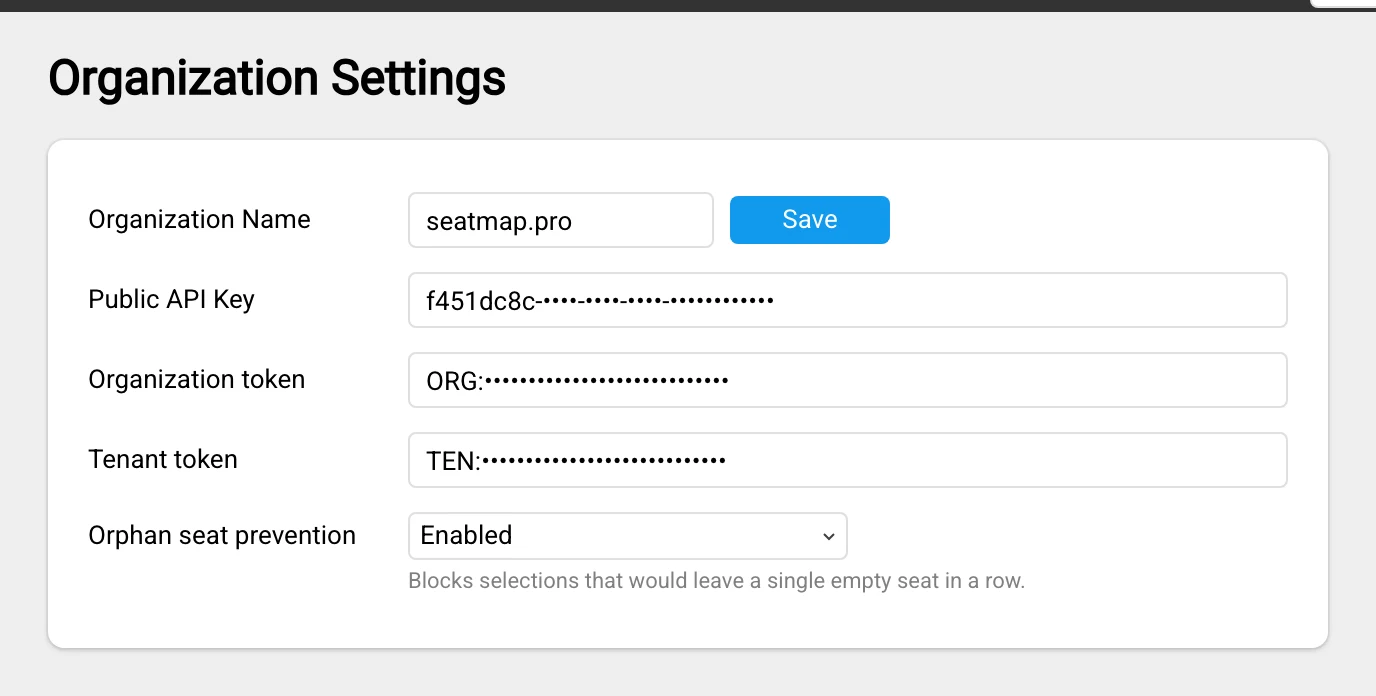
The value cascades down five tiers: the platform default, then the tenant, the organization, the schema, and the event. A tier that sets a value overrides everything above it, and a tier left on Inherit passes the decision on. Every tier starts off, so nothing changes for your buyers until somebody switches the rule on.
Overriding it for one event
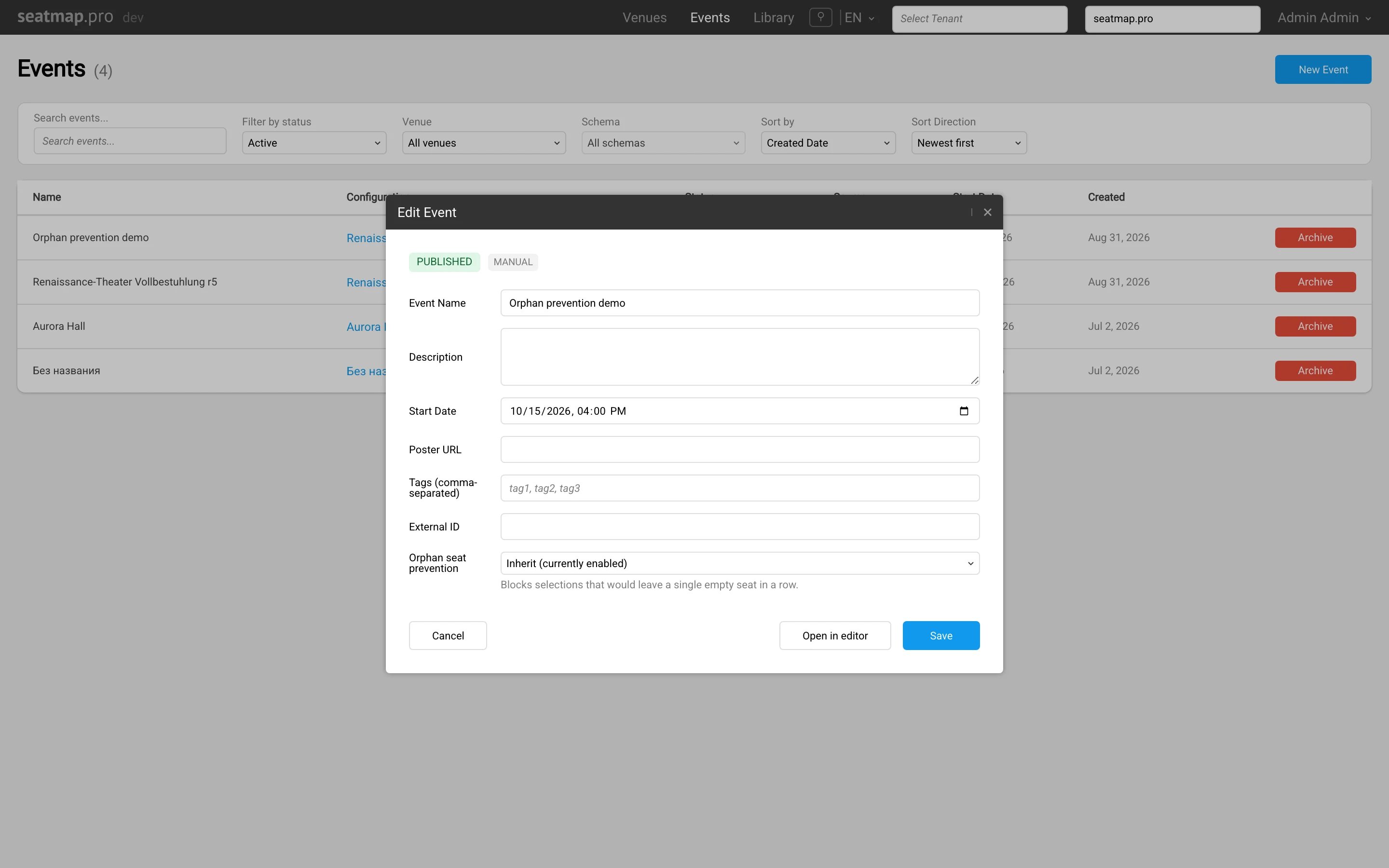
Open an existing event from the events hub. The same field sits in the event dialog, below External ID, and it saves together with the rest of the form. A brand-new event does not show the field yet. Create the event first, then reopen it.
When a change takes effect
The booking service caches the resolved value for 30 seconds, so a change reaches buyers within about half a minute. It reaches the map and the checkout call at the same time. You do not republish the schema and you do not restart anything.
How the rule reads a row
The rule works on the geometry of a row. It sorts the seats by their coordinates, so a row numbered 23 down to 12 is read exactly like the row in front of it numbered 1 up to 11. Seat names never enter the calculation.
An aisle ends a run. When the gap between two neighbors is wider than 1.5 times the median seat pitch of that row, or wider than 3 times the pitch measured across the whole venue, the rule treats the gap as an aisle and stops counting there. A seat beside an aisle is therefore never held back by a seat on the far side of it.
Only a lone seat that your change creates is refused. A row that already holds a single free seat before anyone touches it stays bookable, and that seat sells like any other. Seats marked as hidden are skipped.
Releasing seats is never blocked. Unlocking a hold and reverting a sale go through whatever they leave behind, because refusing a release would keep seats out of sale rather than protect them.
What the buyer sees
Where a seat can be taken only together with a neighbor, the renderer draws a dashed outline around the pair. The outline is guidance and nothing else. The seats inside it stay clickable, and the buyer can click either of them.
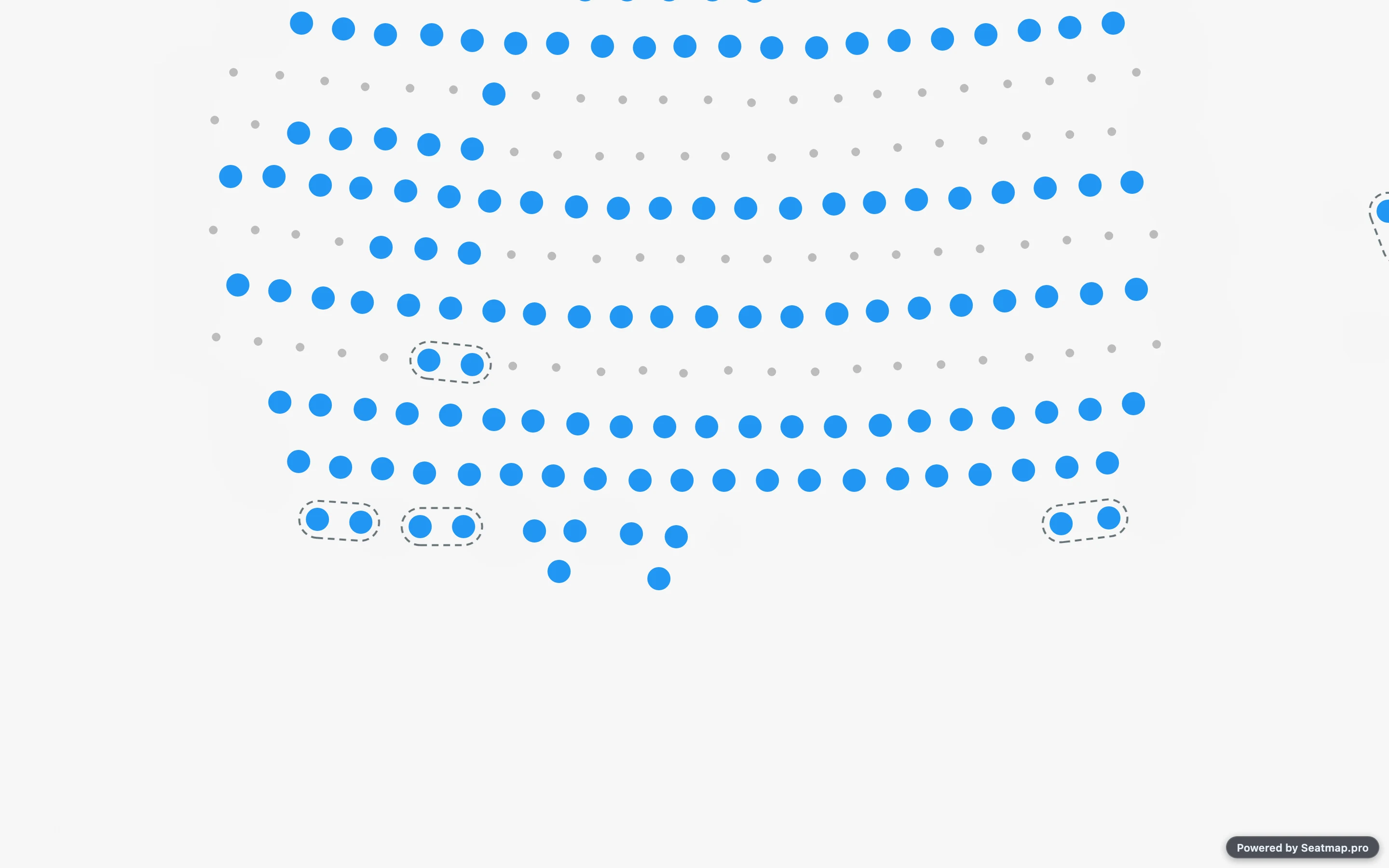
By default a click that would strand a seat completes rather than being refused. The renderer adds the seat the rule asks for, and the cart ends up with both. Taking a seat back out of the cart is turned down instead, because the adjustment would remove seats the buyer had already chosen. A click under a groupSize above one is turned down for the same reason.
Outlines disappear when the buyer zooms out to the venue overview. At that scale a dashed line around two seats reads as a smudge rather than as a hint.
For integrations
Implement the onOrphanSeatsBlocked callback to decide the outcome yourself instead of taking the default. It receives the seats the buyer attempted, the seats that would be stranded, and the adjustment that avoids the problem. Return true to accept the adjustment, false to turn the change down.
The cart methods you call yourself report the same thing in their return value. initCart, addSeatsToCart, removeSeatsFromCartByIds and removeSeatsFromCartByKeys now return an ICartChangeResult rather than nothing. Read applied for whether the cart changed and orphaned for whether the change strands a seat. A removal reports applied: true with a non-empty orphaned, because it goes through and strands a seat all the same.
If your checkout locks seats one at a time, send the ids the buyer already holds in cartSeatIds on the v2 request. The server then judges those seats and the seats in the request as one selection, and a sound cart is not refused half way through assembly. The field takes at most 1000 ids, and lock and sale read it.
For worked examples, see Programmatic Cart Changes and Orphan Prevention in the renderer documentation. The SDK reference describes the callback’s argument as IOrphanSeatsBlockedEvent.
What checkout answers
The rule also runs on the server, so a cart assembled without checking meets it again at checkout. The answer depends on the route you call, and the two answers differ enough that anyone self-hosting needs to know which shape they are on.
On the v2 booking route the whole request fails. lock and sale answer HTTP 422 with the code ORPHAN_SEATS_REFUSED and name the seats they refused. Nothing is locked and nothing is sold.
On the v1 sale path the call answers HTTP 200 and the offending seats come back in the list of unsuccessful selections. The rest of the selection is sold. Read that list, because a 200 here does not mean every seat went through.
The server checks only seats moving to LOCKED or SOLD. A release passes untouched. From 1.74.0 a direct sale passes too: directsale records a sale that is already final in your system, and refusing it would only leave your inventory and ours disagreeing. In 1.72 and 1.73, directsale is checked like sale: it reads cartSeatIds and answers HTTP 422 with ORPHAN_SEATS_REFUSED.
When the check itself fails
Enforcement fails open. If the configuration cannot be read, a row cannot be loaded, or the rule throws, the change is allowed and the sale goes through. A buyer never loses a seat to a failure inside the check.