Section Click Behavior
The booking renderer changes how section clicks behave when the entire venue is visible at once.
Behavior at full view
When the venue is fully zoomed out – that is, the entire venue fits within the visible area at zoom-to-fit scale – clicking a section fires onSectionClick instead of zooming and panning into the section. This applies regardless of the interactionZoomStrategy configured on the renderer.
The interactionZoomStrategy option controls how the renderer handles zoom on section click during normal (non-full-view) interaction. At full view, this setting is overridden and the click always fires the callback instead of zooming.
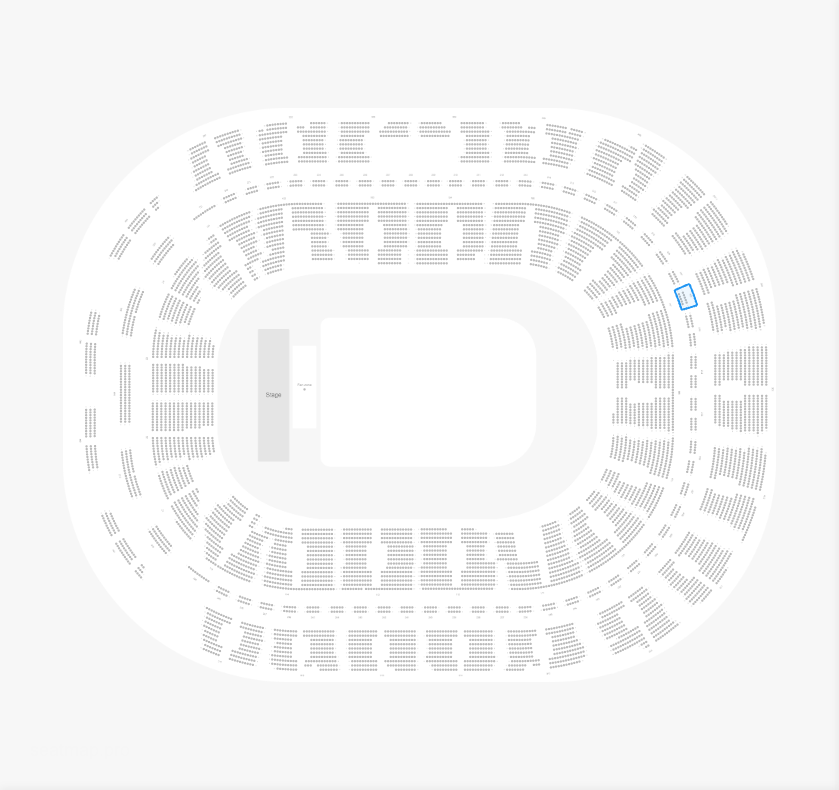
Resuming normal zoom behavior
When the user zooms in past the full-view threshold, the renderer returns to the normal zoom-to-section behavior: clicking a section zooms and pans to focus on that section.
Programmatic zoom after click
If you want to preserve the zoom-to-section behavior at full view, call renderer.zoomToSection() inside your onSectionClick callback:
import { SeatmapBookingRenderer } from '@seatmap.pro/renderer';

const renderer = new SeatmapBookingRenderer(
  document.getElementById('renderer-container'),
  {
    publicKey: 'your-public-key',
    onSectionClick: (section) => {
      renderer.zoomToSection(section.id);
    },
  }
);
renderer.loadEvent('your-event-id');
This lets you decide at runtime whether to zoom programmatically, show a tooltip, update external UI state, or any combination of these.