How AI Assistants Recommend Seating Chart Software (and How to Rank in Their Answers)
ChatGPT, Claude and Gemini recommend seating chart software without sending clicks. What makes a B2B SaaS citable, and how to measure it honestly.
Leftover single seats cost a 300-seat theater thousands over a run. Here's the arithmetic, and how orphan seat prevention stops the click that strands them.
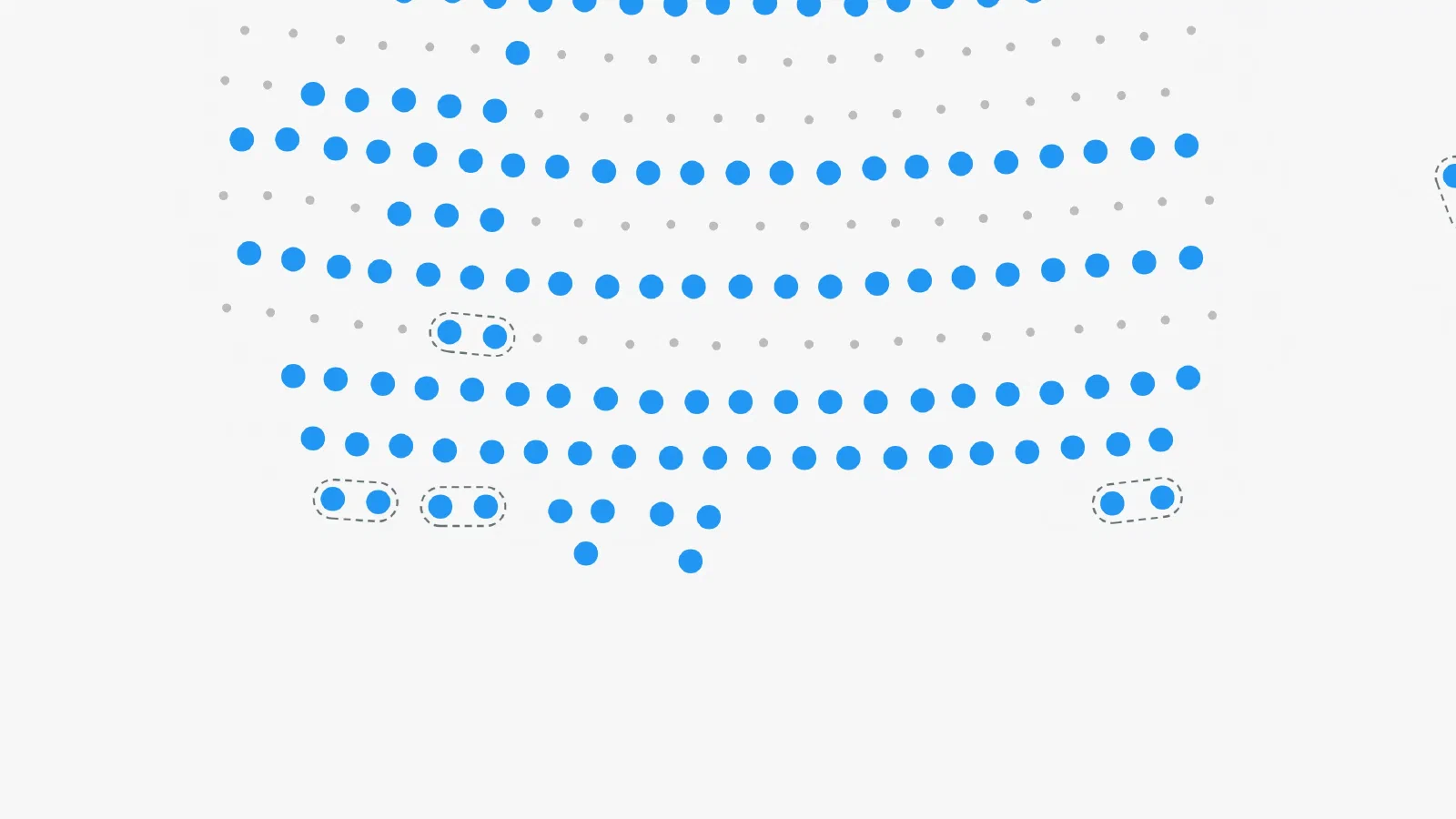
A pair buys two seats out of the middle of a row of five. What’s left is a pair and a single. The pair sells that evening. The single sits there until the curtain goes up, and then it goes up empty.
Seatmap Pro 1.72.0 stops the selection that creates it. Orphan seat prevention turns down a click that would leave one available seat on its own, draws the constraint on the map before anyone clicks, and enforces the same rule at checkout. It’s off until you switch it on, per organization or per event.
The interesting question isn’t how the rule works. It’s whether the seats it saves are worth the setup.
Work the arithmetic on your own house before you decide.
Take a 300-seat theater laid out as 20 rows of 15. Assume one row in three ends a performance with a single seat nobody took. Not every row, and not the same rows twice. That’s about seven seats a night, a little over two percent of the house. Across a 12-performance run at a 40 euro ticket, it comes to roughly 3,200 euro.
That figure is a model rather than a measurement. We haven’t watched a venue’s before and after, so we won’t quote one until we have.
It’s also an upper bound on what’s recoverable, because some of those seats do sell anyway. Solo buyers take them, and so do walk-ups late in a run. What you’d actually get back is whatever share of them would have stayed empty.
The frequency is the one number you have to guess. Your row count and your ticket price you already know, so put those in and see where you land.
Before anyone clicks anything, the map draws a dashed outline around each group of seats that has to be taken together. Hover a seat and the outline extends to cover whatever else that seat would commit the buyer to.
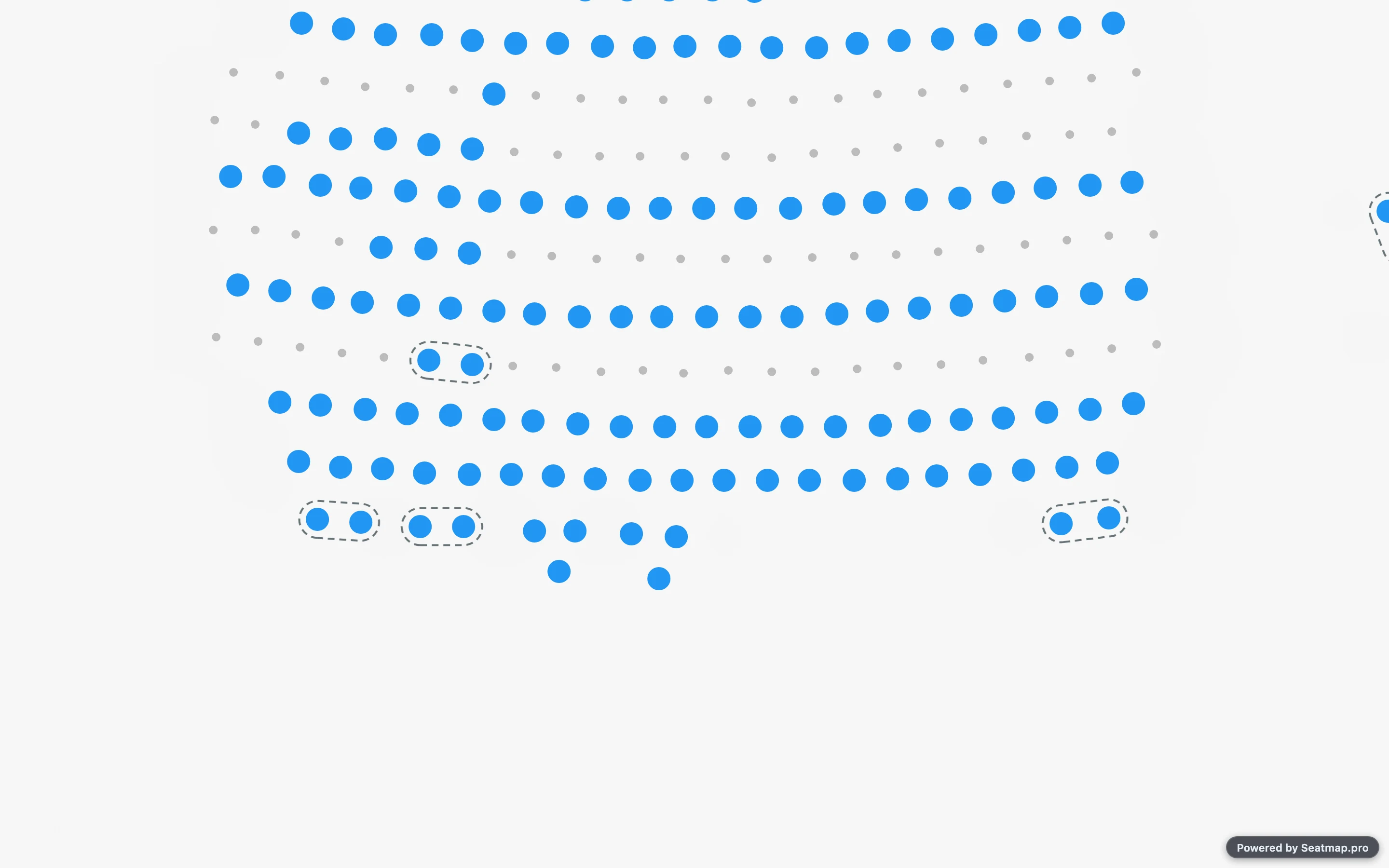
That changes what a refusal feels like. A buyer who sees the outline first picks differently and never meets the rule at all. A buyer who meets it only at the moment of the click assumes the site is broken.
The outlines are styled through theme.orphanGroup, so the color, dash pattern, weight and padding can match the rest of your page.
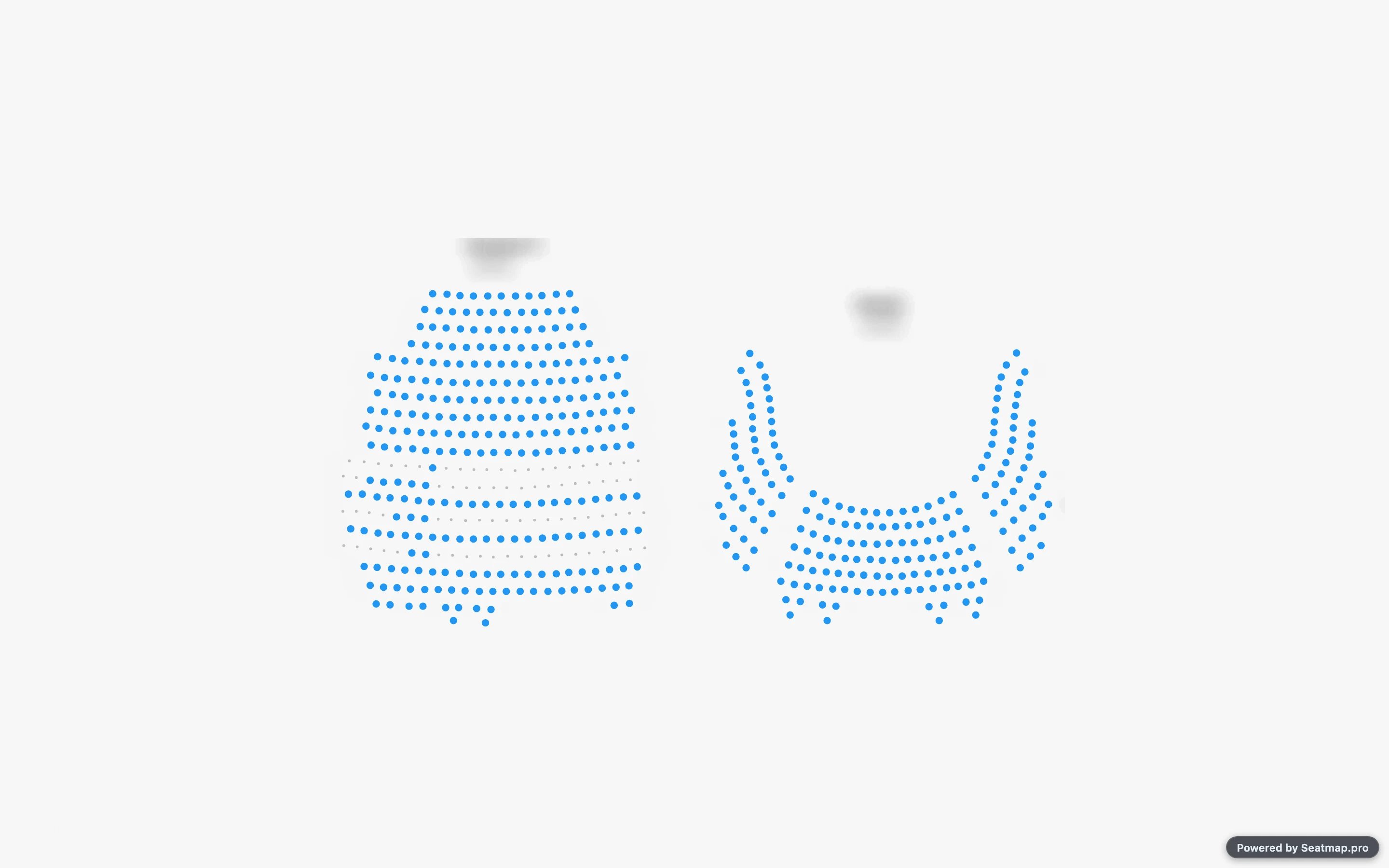
They disappear in eagle view on purpose. At the scale where a whole arena fits the screen, a single dash and its gap no longer fit around the outline, and the whole thing reads as a smudge rather than a boundary.
A rule that only ever says no is a dead end in a checkout flow, so the default doesn’t say no.
If a buyer takes a seat that would leave a neighbor on its own, the renderer adds that neighbor and both seats go into the cart. The selection completes, and nobody has to work out for themselves what the map wanted.
Completing the selection would be wrong in two cases, and there the click is turned down instead. Under a group size above one, adding a seat would push the party past the size they asked for. And a removal that would strand a seat is turned down rather than adjusted, since the only adjustment available is releasing seats the buyer had already chosen.
If you’d rather decide yourself, implement onOrphanSeatsBlocked. You receive the seats that would be stranded and the adjustment that avoids them, and you return true to accept it or false to turn the change down and explain it in your own words. The integration section of the setup guide covers that callback, the value the cart methods now return, and the field an integration needs when it locks seats one at a time rather than in a single call.
A rule that lives only in the browser isn’t a rule. Anyone can call the booking API directly, and a stale tab can call it by accident.
So the booking service runs the same check when seats are locked and when they’re sold. A request that would strand a seat comes back refused and names the seats it refused. The map and the checkout can’t drift apart, because they’re reading the same rule against the same rows.
Releasing seats is never checked. A buyer can always put the map back the way they found it, including a seat that was already standing alone when they arrived.
The check also fails open. If the configuration can’t be read, or a row can’t be read, or the rule itself throws, the sale goes through. Given the choice, we’d rather sell a seat that strands another one than refuse a sale we can’t reason about.
The rule measures each row against its own seat spacing rather than against a fixed distance. A gap noticeably wider than that row’s usual pitch reads as an aisle, and an aisle ends the block. So a seat beside an aisle is never held back by a seat on the far side of it, and an outline never spans the gap.
Each row is also ordered geometrically. The rule goes by where the seats physically sit rather than by what they’re numbered, because row numbering runs in both directions in plenty of real venues. In the theater schema we test against, one row runs 1 to 11 and the row behind it runs 23 down to 12.
Day to day, though, the next limit does more work. Only newly created singles are refused. If a row already holds a lone available seat when a buyer arrives, that seat stays bookable. The point is to stop new orphans appearing, and a rule that quarantined the existing ones would cost you the sales it was meant to protect.
Nothing changes when you upgrade. The feature is off at every level until somebody switches it on.
In the editor, Settings > Organization carries the switch for a whole organization, and the event dialog carries it for one event. Each offers Enabled, Disabled or Inherit, and Inherit tells you what it currently resolves to, so you can see what an event is doing before you override it. An organization admin can reach both screens without help from us. A change reaches the booking endpoints and newly loaded maps within seconds.
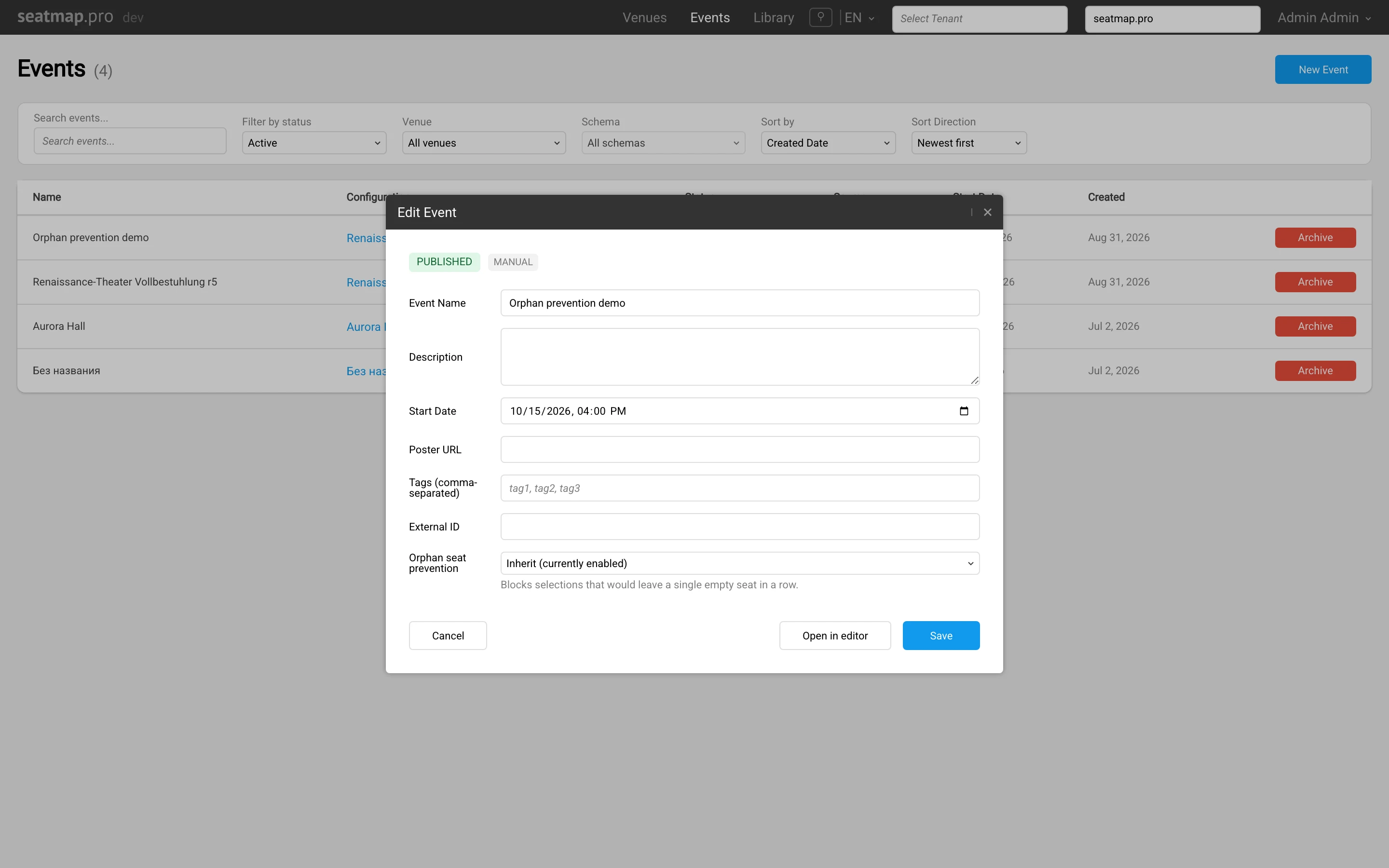
The setup guide walks through both screens and how the levels resolve against each other.
Back in 2020, in a post on the anatomy of seating plans, we wrote that seat properties were a good place to build logic like “no orphaned seats” on top of. That was true, and for six years it stayed a place where somebody could have built it. Since 1.72.0 the platform enforces it instead.
Run the numbers for your own house first. If the answer comes out larger than you expected, the setup guide gets you to a working configuration, and the renderer documentation covers the integration side. If you’d rather see it against a venue close to yours, request a demo and we’ll build the case on your own seating plan.
ChatGPT, Claude and Gemini recommend seating chart software without sending clicks. What makes a B2B SaaS citable, and how to measure it honestly.
Stop selections that strand a single seat, clear categories without resetting the palette, select seats and areas in one drag, and a faster editor.
A 2026 buyer guide for event seating chart software: rendering, API surface, deployment, data residency, and pricing that survives a busy on-sale.